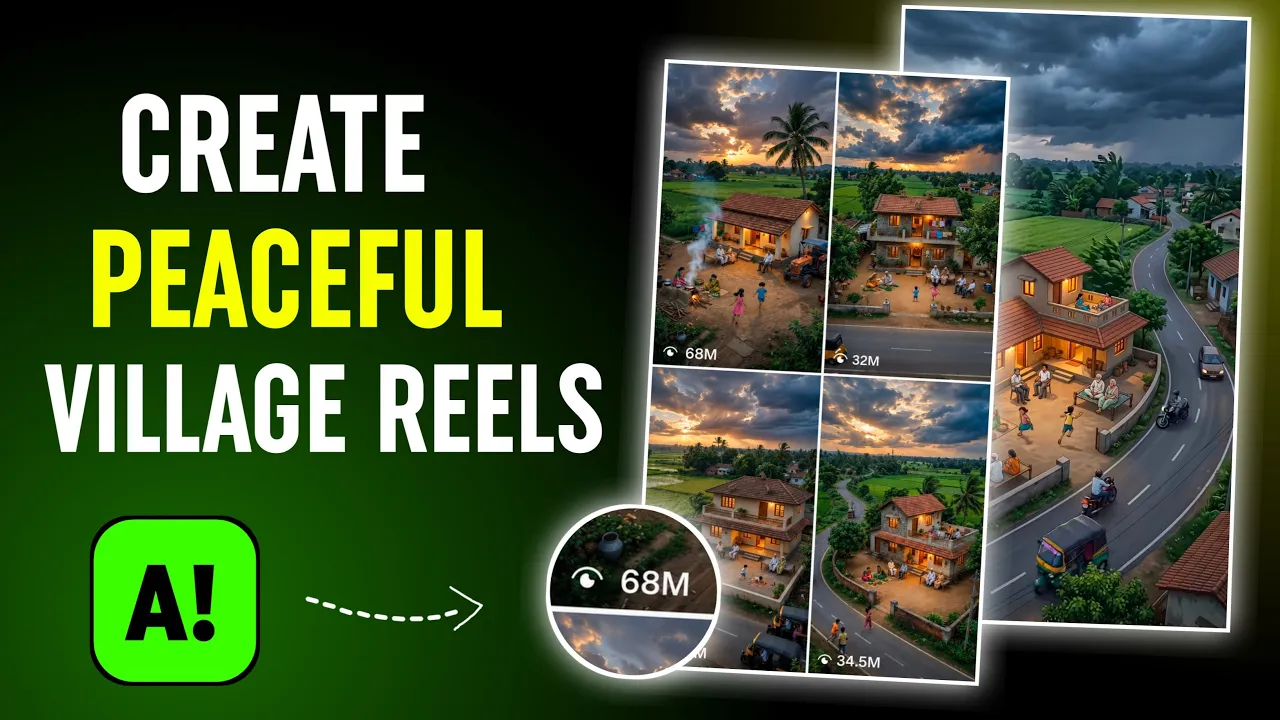
Have you ever seen those stunning 4K AI-generated reels on Instagram that look incredibly relaxing and attract millions of likes and views? If yes, then you’re in the right place!
In this guide, I’ll show you exactly how to create these mesmerizing AI art reels using free AI tools. If you upload videos like these consistently on Instagram, you can potentially gain massive engagement and grow your audience quickly.
Let’s get started!
Step 1: Generate AI Art Prompts Using ChatGPT
The first thing you’ll need is a set of high-quality AI image prompts.
To do this:
- Install ChatGPT from the Google Play Store if you haven’t already.
- Open the app.
- Click the “+” button and upload several reference images that match the style you want to create.
You can find similar images on Instagram or other image-sharing platforms. Upload around 8–10 images so ChatGPT can analyze them effectively.
After uploading the images, type a prompt like:
“Analyze these images and generate 20 detailed prompts to create similar AI artwork.”
ChatGPT will analyze all the uploaded images and provide detailed prompts based on their style, composition, lighting, atmosphere, and overall aesthetics.
Sometimes ChatGPT may provide a template and ask you to add details yourself. Instead, simply ask:
“Generate complete prompts for all 20 examples.”
This will save you time and give you ready-to-use prompts.
Learn more about ChatGPT here:
Step 2: Choose Your Favorite Scene
Once ChatGPT generates the prompts, you’ll find various themes such as:
- Rainy village evenings
- Romantic rainy streets
- Peaceful countryside landscapes
- Tea stalls during monsoon season
- Sunset village scenes
- Nature-inspired environments
Simply select the prompt that matches the type of video you want to create.
For example:
Rainy Street Romance
This prompt may include:
- A beautiful rainy road
- Warm street lights
- A romantic atmosphere
- A couple walking together
- Cinematic reflections on wet streets
Copy the prompt that you like most.
Step 3: Generate AI Images Using Gemini
Now it’s time to convert those prompts into stunning AI images.
You can use:
- Google Gemini
- ChatGPT Image Generation
Although both work well, Gemini often creates more detailed and visually appealing images for this particular style.
Visit:
Paste your prompt into Gemini and click Generate.
Within seconds, Gemini will create a beautiful AI artwork based on your description.
For example, one generated image may show:
- A peaceful village at night
- Sleeping villagers
- Animals resting nearby
- A glowing sky full of stars
- Trees and cottages illuminated by moonlight
The results can look incredibly realistic and cinematic.
Save each image to your gallery after generation.
Repeat the process until you have enough images for your reel.
Step 4: Convert AI Images Into Videos
Now that your images are ready, it’s time to animate them.
For this step, use YT Create.
Download it from the Play Store and open the application.
After launching the app:
- Click Generate Video
- Upload your AI-generated image
- Select the image you want to animate
Choose your best image for maximum impact.
For example, a village scene with:
- Children playing
- Moving clouds
- Flowing wind
- Villagers working
can create a highly engaging reel.
Step 5: Add Motion Instructions
The secret behind realistic AI videos is describing the motion properly.
Look carefully at your image and imagine what should move.
You can enter instructions such as:
- Wind is flowing through the trees
- Children are playing
- Clouds are moving slowly
- Rain is falling gently
- Smoke is rising from houses
Don’t worry about perfect English.
Even simple instructions work well.
After entering the motion description, click Generate and wait for the AI to process your image.
Within a short time, your static image will transform into a beautiful animated scene.
The result often looks surprisingly realistic and relaxing.
Step 6: Add Relaxing Music
Music plays a huge role in making these reels go viral.
Inside YT Create:
- Open the audio settings.
- Lower the original video volume if needed.
- Search for peaceful background music.
- Add calming instrumental sounds.
Popular choices include:
- Piano music
- Nature sounds
- Rain ambience
- Soft cinematic tracks
- Relaxing acoustic melodies
You can also import audio from your own videos.
Simply:
- Add a video overlay.
- Extract the audio.
- Remove the original video layer.
- Keep only the music track.
The combination of beautiful visuals and soothing music creates a highly engaging experience that viewers love to watch repeatedly.
Step 7: Export and Upload to Instagram
Once you’re satisfied with your video:
- Click the Export button.
- Save the video in the highest available quality.
- Upload it as an Instagram Reel.
For better reach:
- Use trending hashtags
- Post consistently
- Write engaging captions
- Use attractive cover images
- Focus on relaxing and emotional themes
Why These AI Reels Go Viral
These videos perform exceptionally well because they trigger feelings of:
- Nostalgia
- Peacefulness
- Relaxation
- Happiness
- Emotional connection
Many viewers watch them multiple times, increasing watch time and engagement—two factors that help Instagram push content to larger audiences.
Final Thoughts
Creating viral 4K AI art reels is much easier than most people think. By combining ChatGPT-generated prompts, Gemini AI images, YT Create animations, and relaxing music, you can create stunning Instagram reels that have the potential to reach millions of viewers.
The key is to focus on visually appealing scenes, smooth animations, and calming background music.
Start experimenting with different themes such as rainy villages, countryside life, tea stalls, sunsets, and peaceful landscapes. With consistency and creativity, your AI-generated reels could become the next viral sensation on Instagram.
Happy creating, and keep spreading positivity through your content!