How to Make Viral 3D Cartoon Dance Videos for Free (No Credits Needed)
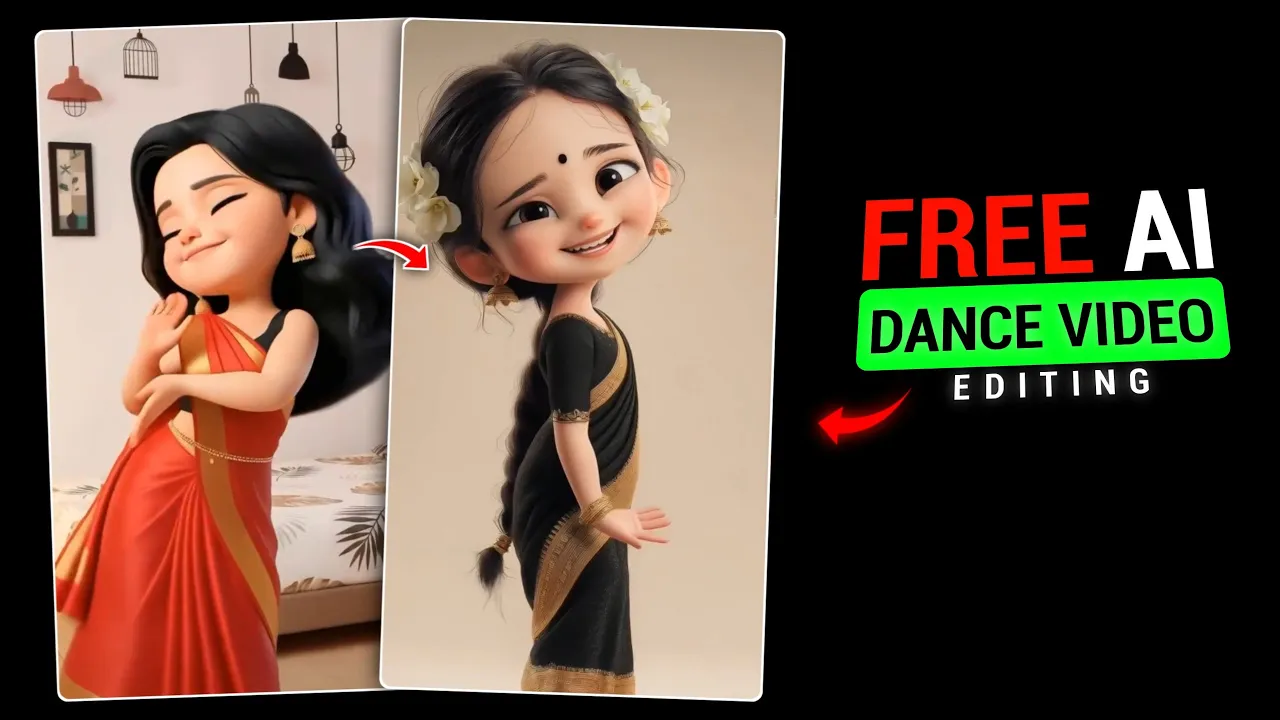
So guys, you must have noticed that right now a new trend is going viral on Instagram — these 3D cartoon dance videos. People are creating them in huge numbers, and honestly, they look super attractive and eye-catching.
But the problem is, making these videos is not as easy as it looks. Most of the methods people are sharing online require paid credits. And let’s be real — around 90% of people are unable to create these videos simply because they don’t have credits.
I know very well that many brothers out there cannot afford to buy credits. Because of that, they feel stuck and miss out on trending content.
So today, the method I’m going to share with you — trust me — a lot of people won’t even believe it at first. I’m going to show you a completely free process, where you don’t need any credits at all.
And the best part?
You can create these 3D cartoon videos again and again, totally free, without spending a single rupee.
No Credit, No Payment – 100% Free Method
Until now, almost everyone you’ve watched on YouTube has been explaining only credit-based AI tools. Yes, those tools work — but they require credits. And when we don’t have credits, the question is simple:
“How will we make the video?”
There was no proper free solution available… until now.
The method I’m about to show you is:
- ✔ Extremely realistic
- ✔ Very easy to use
- ✔ Completely free
- ✔ No AI credits required
If you watch this process even once, you’ll definitely say:
“Bro, why wasn’t this video uploaded earlier?”
So without wasting time on long intros, let’s directly move to the editing process.
You Don’t Need to Create Images from Google Gemini
You might have noticed that most creators first tell you to generate images using Google Gemini. But in this method, we are not doing that.
Our process is completely different.
If you don’t like my method, you’re free to follow theirs — no problem at all. But later on, you’ll clearly understand which method works better.
First Requirement: A Simple Video
To create a 3D cartoon dance video, you first need a video.
And don’t worry — you don’t need to know dancing. I also don’t know how to dance 😄
It’s not compulsory to have a dance video.
You can use:
- Any normal video
- A clip recorded from your phone camera
- Any simple movement video
Just make sure it’s your own recorded video.
Important Video Length Rule
This step is very important.
Your video must be:
- ✔ Less than 10 seconds
- ✔ Ideally 8–9 seconds
If your video is longer than 10 seconds, the feature we need will not work.
App Used for This Method
Now let’s talk about the application.
The app we are using is called Edit, and it is available on the Google Play Store.
You can download it from here:
Google Play Store – Official App Download
Once the app is installed, open it.
Step-by-Step Process
- Open the Edit application
- Tap on the “+” (Plus) icon
- Go to the Gallery section
- Select your video (under 10 seconds)
For example, let’s say your video is 12 seconds long — trim it down to 9 seconds.
Remember:
More than 10 seconds = Restyle option won’t appear.
How to Find the 3D Restyle Option
After importing the video:
- Scroll down inside the editing options
- Look for the “Restyle” option
If you don’t see the Restyle option, that means your video is longer than 10 seconds. Just reduce the duration and try again.
Inside the Restyle section, you’ll see multiple characters.
Here, you need to select the 3D character style.
Once selected, click on Restyle.
3D Video Generation Process
Now the magic begins.
Your video will start converting into a 3D cartoon model.
This process takes a little time, so just wait patiently.
The output you’ll get is:
- ✔ Smooth animation
- ✔ Realistic movement
- ✔ High-quality 3D cartoon effect
Final Preview & Result
Once the video is generated, preview it.
Now compare:
- Your original video
- The 3D cartoon version
You’ll clearly see how realistic and amazing the 3D model looks.
And the most important thing — we created this without using any credits.
No payment.
No subscription.
No hidden charges.
Why This Method Is Best for Instagram Reels
This type of 3D cartoon video is currently trending on Instagram Reels.
You can use it for:
- Instagram Reels
- YouTube Shorts
- Facebook Reels
Learn more about Instagram Reel trends here:
Instagram Official Blog – Reels & Trends
Final Words
You can easily convert any of your videos into a 3D cartoon dance video using this free method.
No credits required.
No paid AI tools.
100% beginner-friendly.
If you liked this method, do tell in the comments.
And yes — before leaving, don’t forget to like the video (well, that’s your choice 😄).
Take care,
Bye!