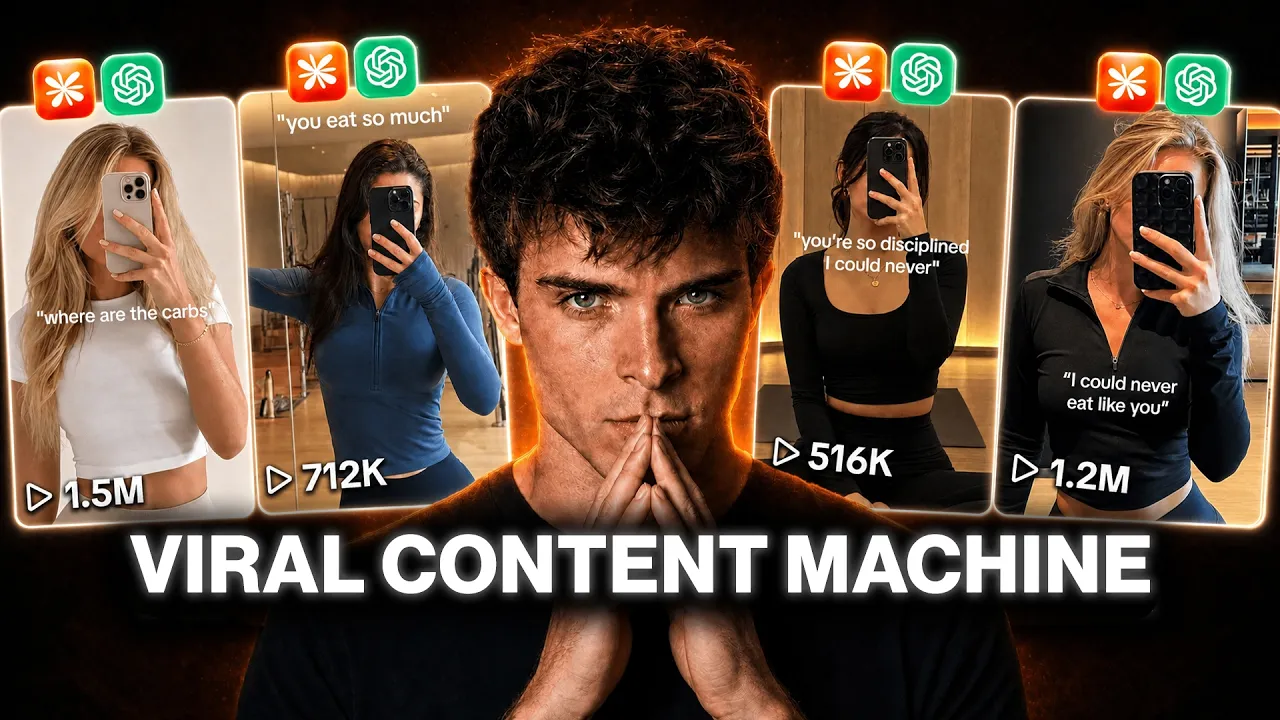
How to Create Viral AI Social Media Content Using Claude and GPT Image 2 (Step-by-Step Guide)
Organic social media content is one of the most powerful ways to attract customers if you’re running any type of online business. Whether you’re selling a physical product, software, an ebook, a membership, or even offering services, viral content can bring in thousands of views and potential customers without spending money on ads.
Many successful apps and brands are gaining thousands of new users every day through simple slideshow posts and short-form videos. The good news is that you don’t need a huge content team to achieve similar results. With AI tools like Claude and GPT Image 2, you can create weeks’ worth of content in just a few hours.
In this guide, I’ll show you the exact workflow used to generate viral slideshow posts, create short-form videos, and scale content production across multiple niches.
Why AI-Generated Social Media Content Is So Effective
Social media platforms like TikTok, Instagram, and Facebook reward creators who consistently publish engaging content. The challenge is that creating high-quality content manually takes time.
AI solves this problem by allowing you to:
- Generate dozens of unique images quickly
- Create multiple content variations
- Test different hooks and marketing angles
- Produce content consistently
- Scale across multiple niches
Instead of spending hours designing every post manually, you can build a content system that produces hundreds of content variations from a single workflow.
The Tools You’ll Need
For this workflow, you’ll primarily use:
- Claude AI for prompt generation
- GPT Image 2 for image creation
- TikTok for content distribution
- Video editing software such as CapCut
- A workflow automation platform like Max Fusion
Useful Resources:
These tools work together to automate most of the content creation process.
Step 1: Create a Realistic Base Model Prompt
The foundation of this strategy is generating realistic social media images.
When creating prompts for GPT Image 2, avoid making images look overly polished or commercial. Instead, focus on creating images that resemble real Instagram posts.
Your prompt should include:
- Natural lighting
- Slight film grain
- Realistic shadows
- Authentic environments
- Casual clothing
- Organic compositions
One of the most effective tricks is having the person partially cover their face with a smartphone while taking a mirror selfie.
This small detail makes a huge difference because it mimics real user-generated content. As a result, the image appears authentic rather than obviously AI-generated.
Once you’ve generated a strong base image, you can use it as the foundation for dozens of future content pieces.
Step 2: Generate Multiple Environment Variations
After creating your base model image, the next step is generating multiple environmental variations.
Take your original prompt and ask Claude to place the same person in different locations such as:
- Luxury apartment
- Coffee shop
- Gym
- Beach
- Rooftop
- Home office
- Restaurant
- Shopping mall
- Outdoor park
- Hotel room
Claude can instantly generate multiple environment prompts that you can feed into GPT Image 2.
Within minutes, you’ll have a collection of images featuring the same model in different scenarios.
This becomes your content library.
The beauty of this system is that you’re creating reusable assets that can be mixed and matched across future posts.
Step 3: Generate Supporting Images
Now it’s time to create the supporting slides for your content.
Let’s use the fitness niche as an example.
Suppose you’re promoting a weight-loss application.
Instead of generating only selfies, you’ll also need images such as:
- Healthy breakfasts
- Protein meals
- Nutritious snacks
- Hydration shots
- Fitness routines
- Progress tracking visuals
Simply describe each image idea to Claude and ask it to create detailed GPT Image 2 prompts.
For example:
“Create a realistic image prompt showing a healthy high-protein breakfast in natural morning lighting.”
Claude handles the prompt engineering while GPT Image 2 handles the image generation.
This saves enormous amounts of time compared to manually crafting every prompt yourself.
Step 4: Build a Content Machine
This is where the strategy becomes extremely powerful.
Imagine you have:
- 10 model variations
- 10 environment variations
- 10 food image sets
- 5 different hooks
Now calculate the combinations.
You can easily create 50 to 100 completely unique posts using the same content assets.
Every time you change:
- The first image
- The hook text
- The supporting slides
- The call-to-action
You create an entirely new post.
This allows you to produce weeks or even months of content from a single content creation session.
The Secret Ingredient: Viral Hooks
The first slide determines whether people continue viewing your content or keep scrolling.
A great hook can dramatically increase engagement.
Examples include:
Fitness Niche
- What I Eat in a Day to Lose Weight
- The Diet Mistake That Kept Me Overweight
- How I Lost 15 Pounds Without Giving Up Pizza
- My Simple Morning Weight-Loss Routine
- The One Habit That Changed Everything
Productivity Niche
- The Productivity System Nobody Talks About
- How I Get More Done in 3 Hours Than Most People Do All Day
- This AI Tool Saves Me 10 Hours Every Week
Business Niche
- How I Got My First 1,000 Customers
- The Content Strategy That Changed My Business
- Why Most Online Businesses Fail
Testing different hooks is one of the easiest ways to multiply your content output.
Posting Your Slideshow on TikTok
Once your images are ready, posting is simple.
Upload Your Images
Arrange them in a logical order:
- Hook slide
- Supporting slides
- Educational slides
- Product introduction
- Call-to-action
Add Text Overlays
TikTok’s default font often performs surprisingly well.
Keep text simple and easy to read.
Select Audio
Always add some form of trending or relevant audio.
Audio helps increase engagement and can improve discoverability.
Write a Simple Caption
Don’t overcomplicate captions.
Examples:
- What I Eat in a Day
- My Daily Skincare Routine
- AI Tools Every Creator Should Use
Add relevant hashtags and publish.
Adapting This Workflow to Different Niches
One of the biggest advantages of this system is flexibility.
You can swap the entire niche simply by changing the prompts.
Fitness
Generate:
- Mirror selfies
- Workout images
- Meal photos
- Progress visuals
Skincare
Generate:
- Glowing skin close-ups
- Product application photos
- Routine demonstrations
- Before-and-after concepts
SaaS Products
Generate:
- Workspace setups
- Productivity scenes
- Software screenshots
- User success stories
Ebooks and Courses
Generate:
- Study environments
- Laptop workstations
- Reading setups
- Educational visuals
The workflow remains exactly the same.
Only the prompts change.
Turning Images Into Videos
The strategy becomes even more powerful when you convert images into videos.
Instead of creating only slideshow posts, you can create short-form video content for:
- TikTok
- Instagram Reels
- YouTube Shorts
- Facebook Reels
Using AI video models, you can animate static images and create engaging motion clips.
For example:
A mirror selfie can be animated with subtle camera movement.
Food images can be transformed into lifestyle-style video scenes.
This instantly creates more dynamic content while maintaining the same content structure.
Creating Hundreds of Content Variations
Once your workflow is fully built, scaling becomes incredibly easy.
You can continuously change:
- Environments
- Outfits
- Lighting
- Products
- Food items
- Hooks
- Text overlays
- Calls-to-action
Each combination creates a brand-new piece of content.
Instead of manually creating one post at a time, you’re building a content engine that can generate content indefinitely.
Sell This as a Service
This workflow isn’t just useful for your own business.
Many companies struggle to create content consistently.
You can offer services such as:
- TikTok content creation
- Instagram carousel design
- AI-generated UGC content
- Product promotion campaigns
- Social media management
- Short-form video creation
Businesses are already paying freelancers and agencies monthly retainers for these services.
Learning this workflow can become an additional income stream alongside your own projects.
Final Thoughts
AI tools like Claude and GPT Image 2 are completely changing how content is created online.
Instead of spending days designing social media posts manually, you can now generate dozens of professional-quality images, slideshows, and videos within a single session.
Whether you’re promoting a fitness app, skincare product, SaaS platform, ebook, course, membership, or physical product, this workflow gives you a scalable system for producing consistent content.
The real secret isn’t just using AI—it’s building a repeatable workflow that allows you to create content faster, test more ideas, and publish consistently.
Start implementing this strategy today, and you’ll quickly build a content machine capable of generating hundreds of posts for your business.
Recommended Resources
- Claude AI: https://claude.ai
- ChatGPT & GPT Image 2: https://chatgpt.com
- TikTok Business: https://www.tiktok.com/business
- Instagram Business: https://business.instagram.com
- CapCut Video Editor: https://www.capcut.com
- YouTube Creators Academy: https://creatoracademy.youtube.com
Focus Keyword: AI Social Media Content
SEO Title: How to Create Viral AI Social Media Content with Claude and GPT Image 2
Meta Description: Learn how to create viral TikTok slideshows, Instagram posts, and AI-generated videos using Claude and GPT Image 2. Build a scalable content creation system for any niche.