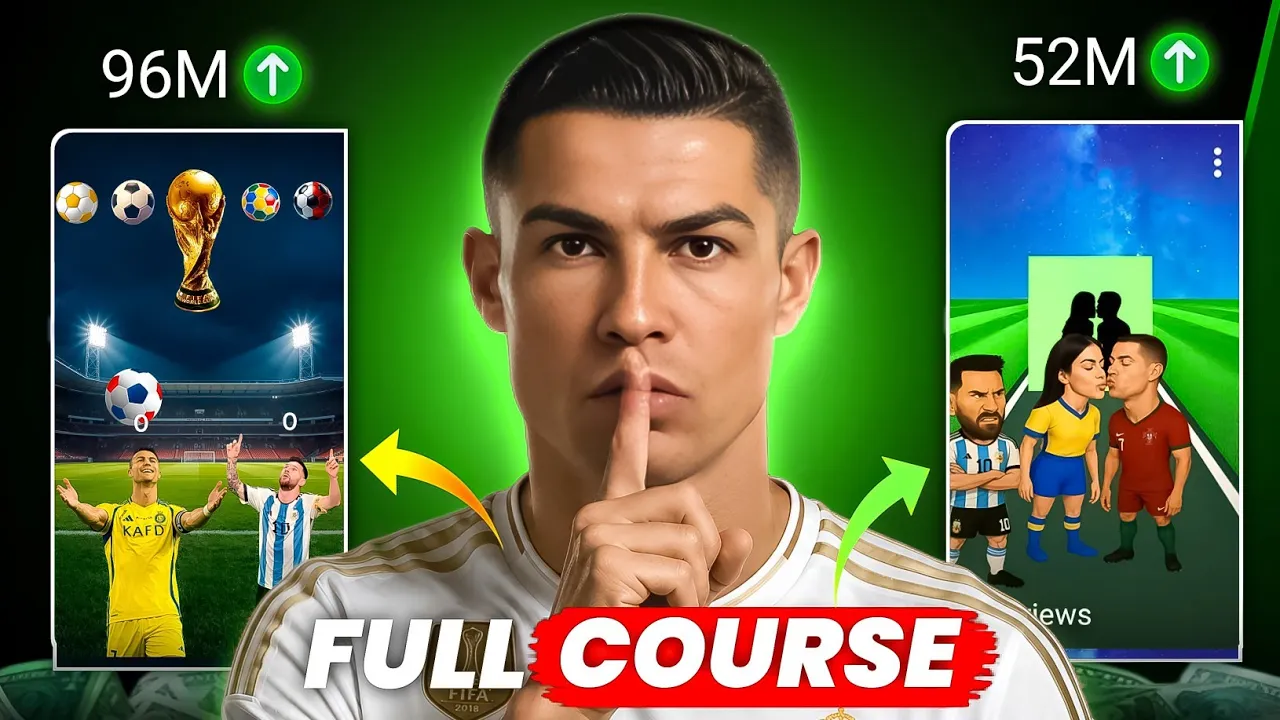
Learn how to make trending football comparison videos using CapCut, PNG images, and simple animations—without copying clips from other creators.

Look, we all know one thing right now—Football content is one of the hottest trends on YouTube. Football Shorts, Ronaldo vs Messi comparisons, World Cup edits, and player battles are getting millions of views every day.
But here’s the funny part.
Many YouTubers are telling people:
“Just download a football clip from YouTube, repost it, edit it a little, and earn $5,000–$6,000 per month.”
Sounds amazing, right?
Wrong.
If you think that’s a long-term strategy, then this article probably isn’t for you.
I’m not going to tell you that you’ll start making thousands of dollars overnight. What I will show you is a smart, copyright-safe method that can help you build a football channel without constantly worrying about copyright strikes or channel termination.
Why You Should Avoid Reposting Football Clips

A lot of creators simply:
-
Download football highlights
-
Screen-record clips
-
Add music
-
Re-upload the video
This may work for a short time, but eventually:
-
Copyright claims start appearing
-
Monetization becomes difficult
-
Channels can get terminated
Instead, create your own football content using images, animations, sound effects, and creative editing.
What Type of Football Video Are We Creating?

The video style looks like this:
-
Cristiano Ronaldo vs Lionel Messi
-
Animated footballs moving toward players
-
Score updates (1-0, 1-1, 2-1, etc.)
-
World Cup graphics
-
Celebration clips at the end
-
Background music and sound effects
These videos are performing extremely well on YouTube Shorts.
Tools You Need

To create these videos, you’ll need:
CapCut
Video editing app
Image Search Man
Free PNG image downloader
For short celebration clips
Football PNG Images
Logos, balls, trophies, players
Background Music
Royalty-free or attitude-style music
Step 1: Download PNG Images

Install Image Search Man from the Google Play Store.
Search for:
-
Football PNG
-
Ronaldo PNG
-
Messi PNG
-
FIFA World Cup PNG
-
Football logo PNG
The app provides transparent PNG images that are perfect for editing.
Step 2: Create a New Project in CapCut

Open CapCut and:
-
Create a New Project
-
Add a football-themed background
-
Place Ronaldo and Messi at the bottom
-
Adjust their positions
This becomes the main layout of your Shorts video.
Step 3: Add Football and World Cup Elements

Now add:
-
Multiple football PNGs
-
World Cup trophy in the center
-
Football logos around the top
This makes the video look more professional and engaging.
Step 4: Animate the Footballs

Here’s where the magic happens.
Use CapCut keyframes to move each football:
-
Start from the top
-
Move toward Ronaldo or Messi
-
Cut the clip when the ball reaches the player
-
Add a “boom” sound effect
This creates the illusion that the player scored a point.
Step 5: Add the Score Counter

Add text layers:
-
0 for Ronaldo
-
0 for Messi
Whenever a player wins a point:
-
Split the text layer
-
Change 0 → 1
-
Then 1 → 2
-
Then 2 → 3
This creates a dynamic scoreboard.
Step 6: Add Celebration Clips

After the final score, add a short celebration clip.
Go to Pinterest and search:
-
Ronaldo celebration video
-
Messi celebration video
Use only a few seconds of the clip and add effects.
Step 7: Add Background Music

Use:
-
Royalty-free music
-
Attitude music
-
Sports-style background tracks
Adjust the volume so sound effects remain audible.
Why This Method Works

The biggest advantage is:
No copyright issues
You’re creating original content.
Unlimited content ideas
You can make:
-
Ronaldo vs Messi
-
Ronaldo vs Neymar
-
Messi vs Mbappé
-
Top 10 football battles
-
World Cup comparisons
Fast production
The first video may take 30–60 minutes.
After that, each new Shorts video can be made in 2–5 minutes by simply replacing images and changing scores.
Best Football Players for Viral Shorts

Try creating videos featuring:
-
Cristiano Ronaldo
-
Lionel Messi
-
Neymar Jr.
-
Kylian Mbappé
-
Erling Haaland
-
Lamine Yamal
Helpful External Resources
-
CapCut – Video editing
-
Pinterest – Celebration clips
-
Pixabay – Copyright-free assets
-
Pexels – Free videos and images
-
YouTube Creator Academy – YouTube growth tips
Final Thoughts

Honestly, this is one of the smartest ways to enter the football niche in 2026.
Instead of stealing clips and risking your channel, create original football comparison videos using PNG images, animations, and creative editing.
The football craze is massive right now.
If you consistently upload quality Shorts using this method, your channel has a real chance to grow quickly without copyright headaches.
So export your video in high quality, upload it, and start building your football channel the right way.
And remember: Trends come and go, but original content always wins in the long run.
Good luck, brother! 🚀⚽