Unlimited Gemini AI Prompts for 2026: Free Photo Editing Guide (Step-by-Step)
If you are looking for 2026 Gemini AI prompts to do unlimited photo editing for free, then you are in the right place. In this guide, I will show you exactly how to use the latest Gemini prompts to create realistic, high-quality AI-edited photos in just a few seconds. Make sure you read this article till the end, because the prompts shared here are completely free and not available anywhere else on YouTube.
How to Use Gemini AI for Unlimited Photo Editing
First of all, open your Gemini AI application. After opening the app, you need to click on the Create Image option. Many people complain that prompts don’t work properly, and that’s because they don’t use the Create Image option correctly.
Once you click on Create Image, tap on the Plus (+) icon. From there, click on the Gallery icon and select any photo you want to edit.
Important Tip for Perfect Face Matching
A lot of users say that their face doesn’t match properly in AI photos. If you want a clear and realistic face match, always upload a front-facing face photo. This helps Gemini AI understand your facial structure and gives you a much more genuine and realistic result.
Paste the Latest Gemini Prompt (2026)
After uploading your photo, simply paste the latest Gemini AI prompt. This is a brand-new 2026 prompt that you are getting 100% free. Once pasted, just wait for 10 to 15 seconds, and your AI-edited photo will be ready.
“Create an ultra-premium 8K cinematic portrait of a confident young man sitting stylishly on a
modern chair while holding a smartphone in one hand and a bouquet of fresh red roses in the other. The subject has neatly styled wavy black hair, smooth glowing skin, and a natural confident expression.He is wearing a clean, fitted, premium outfit – a stylish Jacket or hoodie, perfectly arranged clothing, dark fitted trousers, and spotless white sneakers. His posture is relaxed yet powerful, giving a modern hero-like vibe. Background features a beautifully decorated rooftop with neon lights displaying ‘WELCOME 2026’, soft fairy lights, colorful flowers, and a warm sunset sky with cinematic gradients. Add soft rim light, deep shadows, buttery-smooth depth of field, bokeh highlights, HDR lighting, high contrast, ultra-sharp detailing, and realistic reflections on the floor. Add a subtle motivational poster feel: large sof
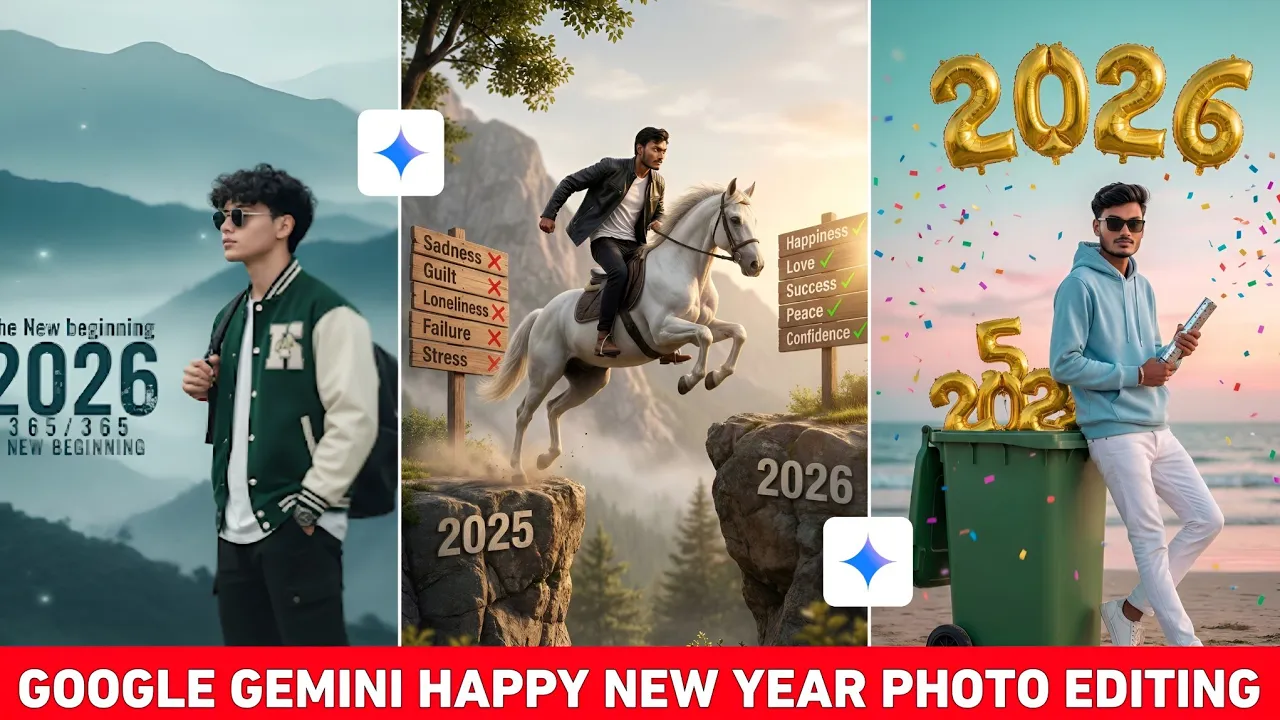
Ultra-realistic 8K portrait of a stylish young man, sitting confidently and posing on large 3D ‘2026’ text. He is sitting upright and smiling slightly at the camera. Background: Sunset on a beach, teal-pink sky gradient, soft twinkling lights. In the sky above, bold text: “Happy New Year” and just below: “MAY THE NEW YEAR SEE YOU LOVING, GIVING AND LIVING”. He is wearing a trendy light blue and white outfit, modern hairstyle, a slight smile and sneakers 12 A smattering of colorful confetti is slowly falling, cinematic shadows, shallow depth of field, Instagram-style digital art. Use the same face as a reference. He is holding a Manrav Party Popper.
Young stylish man sitting confidently on large “Happy New Year 2026” numbers placed on a road in a beautiful park. The numbers have a futuristic black outline. He is wearing a black shirt, red denim jacket, gray cargo, and blue sneakers. The background shows green trees, colorful flowers, and a soft lights. The atmosphere feels modern, cinematic, and positive – symbolizing a fresh new year and new beginnings, ultra realistic, depth of field, perfect lighting. No face chenge
Ultra-realistic, 8k, close-up shot. A cheerful New Year photoshoot scene featuring a handsome young man (uploaded photo) with soft-charming smile, seated on neon-lit ‘2026’ digits. Behind him, large bright LED signage reading ‘BYE BYE 2025’ and ‘WELCOME 2026’ in glowing cyber-blue and warm golden colors. Rooftop decorated with fairy lights, flowers, and small lanterns. Colorful sunset sky, city skyline blurred. The man wears casual modern outfit: orange hoodie, black t-shirt, black joggers, white sneakers, holding a flower decoration rose bookey in his left hand. Highly detailed, vibrant 283 colors, crisp reflections, 8K ultra-realistic.
Inside the original video, multiple prompts are shared so that you can do unlimited photo editing using Gemini AI. Unlike other creators who only show results, here you actually get the real working prompts.
How to Save Your AI-Edited Photo
Once your photo is ready, click on the image. At the bottom, you will see a Save option. Tap on it, and your photo will be saved directly to your phone gallery.
If your internet speed is fast, the image will save instantly. If your internet is slow, it may take a few extra seconds. Don’t worry—your photo will still be saved in HD quality.
Second Exclusive Gemini Prompt (2026)
Now let’s talk about the second prompt. Again, click on the Plus (+) icon, select a photo from your gallery, and paste the new prompt.
These prompts are exclusive and you won’t find them anywhere else on YouTube. That’s why it’s highly recommended to go through the entire tutorial so you don’t miss anything.
After pasting the prompt, wait for 10 to 15 seconds. When you see the confirmation text, it means your photo is ready. The result will be HD, realistic, and perfectly face-matched.
Why These Gemini AI Prompts Are Different
- Unlimited photo editing support
- Latest 2026 Gemini AI optimization
- Free and reusable prompts
- High-quality, realistic AI images
- Perfect face matching with proper input photos
Most creators don’t share actual prompts—they only show edited images. But here, you not only learn how to edit photos, you also get the exact prompts for free.
Where to Get All Gemini AI Prompts
All the Gemini AI prompts used in this tutorial have been shared on Telegram. You can download them and use them anytime for unlimited photo editing.
Recommended External Resources
Final Words
If you want realistic AI photo editing with unlimited usage, these 2026 Gemini AI prompts are perfect for you. Just remember to upload a clear face photo for the best results. Save the images in HD, reuse the prompts, and take your AI photo editing to the next level.
Don’t forget to like, share, and support the original content so more such free prompts can be shared in the future.