How to Create a Viral AI Trending Instagram Video (Step-by-Step Editing Tutorial)
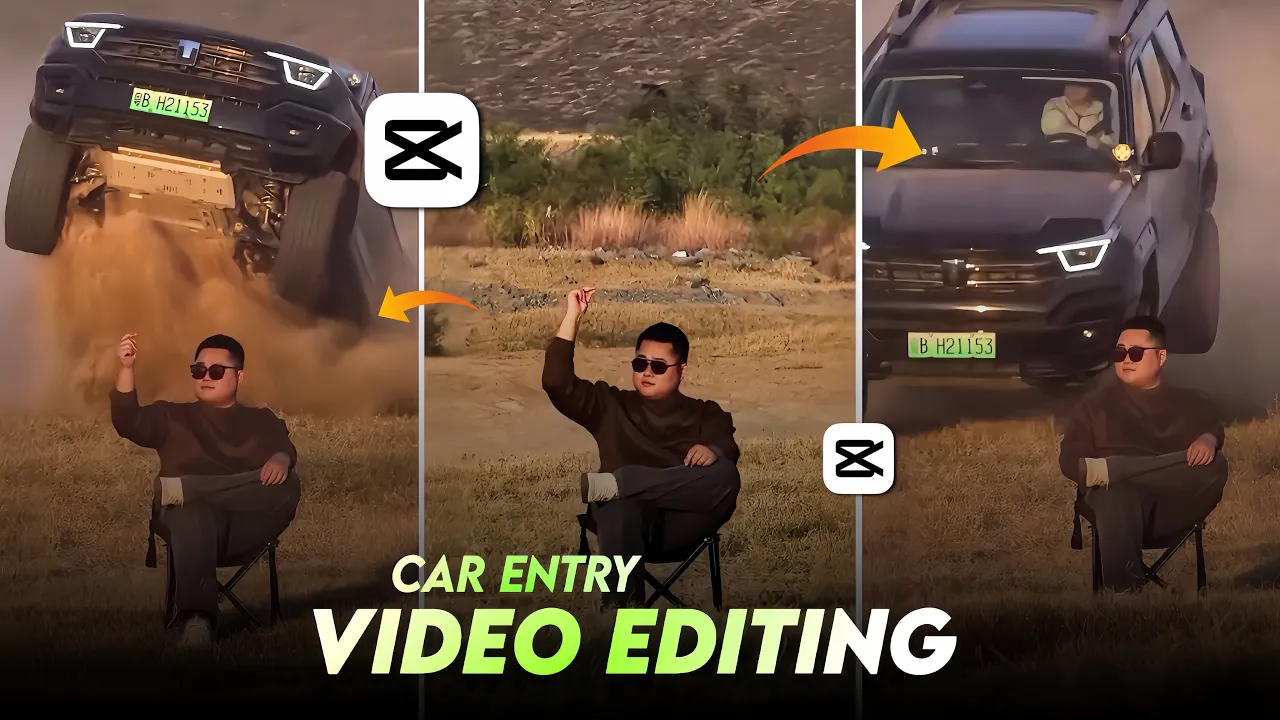
Friends, today we are going to learn how to edit a video that is currently trending heavily on Instagram and going viral. Before starting the video, don’t skip anything, because it’s not at all what you might be thinking. Whether you own a car or not, you can still create this type of trending video that is blowing up on Instagram right now. Let me show you exactly how to do it.
Why This Instagram AI Video Trend Is Going Viral
Right now, Instagram reels created with AI effects and smooth transitions are getting massive reach. The best part is that you don’t need expensive gear or a luxury car to create these videos. With the right editing steps and AI tools, anyone can make professional-looking viral content.
Step 1: Open the CPKT Application and Shoot Your Video
First of all, open the CPKT application. Here you can see how you need to shoot your video. Simply record a short clip by following the sample shown in the app. Once the video is recorded, add it to the CapCut application.
After importing the video into CapCut, add background music from CapCut’s library. Choose music that matches the vibe of the trending reel.
Step 2: Split, Crop, and Take a Screenshot
Now carefully watch your video. At the point where, according to the acting, the model lifts their hand upward, do the following:
- Split the video at that exact moment
- Delete the extra unwanted part
- Make the video full screen
- Take a screenshot of that frame
This screenshot will be used later for AI video generation.
Step 3: Use an AI Tool to Generate the Video
Next, open Google Chrome or any browser of your choice. Go to the search bar and search for Google Gmaili. A website will appear—simply tap on it.
On the website:
- Tap on the Sign In option
- Sign in using your Gmail ID
After signing in, you will see a plus (+) icon and a settings icon at the bottom. Tap on the settings option, then go to the Create Video section and tap the plus icon.
Step 4: Add Screenshot and Use the AI Prompt
Now add the screenshot you took earlier. After that, you’ll need an AI prompt. The prompt I’m using is quite long, so I’ll share it on my Telegram channel instead of the description box. You can simply copy the prompt from Telegram and paste it here.
Photo Prompt 👇
Please generate a image using my picture A striking editorial portrait of a handsome young man in a long, camel-brown overcoat and black leather pants/boots, seated on a black folding chair in the middle of a vast, bright desert with large sand dunes. Harsh, natural light. Fashion photography, high quality, cinematic.”
Video Prompt 👇
A stunning outdoor fashion portrait of a cool, confident man in a brown coat and thigh-high black boots, come in frame and sitting on a camping chair in a sun-drenched, sandy desert landscape. An action vehicle (indian thar black colour ) is partially visible in the background and come as jump backside of man, adding an element of dynamic excitement.”
Once pasted, just hit Send.
The AI will first analyze your photo. After waiting for a few moments, the video generation process will start automatically. You just need to be patient.
Step 5: Download and Final Edit in CapCut
After some time, your AI-generated video will be ready. You can see that the video has been created successfully.
Now:
- Download the generated video
- Open CapCut again
- Add the downloaded video to your project
- Split and delete any extra unwanted parts
- Merge everything smoothly
Your video is now almost fully edited.
Optional Final Touches
You can now customize the video according to your style:
- Add zoom effects if needed
- Apply color grading
- Adjust brightness, contrast, and saturation
These final touches can make your reel look even more professional.
Final Result
As you can see, our video is now completely edited and ready to be posted on Instagram. This was the full process.
If you also want to create this type of trending Instagram video, you can easily do it using AI.
Helpful External Resources
Try this method today and take advantage of the latest Instagram AI video trends.